Competencies
1 Write complex SQL statements in order to:
- Implement Functions
- Store procedures
- Triggers
In order to prepare data sets for data analysis and manipulation
2 Configure these:
- Data extraction
- Transformation
- Loading tasks
In order to automate data integration
Introduction
- Data analysts frequently perform periodic extraction of data from larger databases and use that data for analysis
- This task will emulate that process – I will create a repeatable data export, import, and analysis for various stakeholders
- I will extract and analyze within the same database to reduce technical challenges
- There are two distinct sections that differ in granularity of data they present and how directly they support the answering of the question
- Detailed section contains data that informs the answers to the question and the summary will include relevant aggregated data that provide the answer to the business question
- EXAMPLE: question from a computer factory:
- number of computers manufactured in the past 6 months
- detailed portion contains details on each individual comp made
- summary contains only the total number of customers made in each factory
Lab Environment:
| Windows Username | |
| LabUser | |
| Windows Password | |
| Passw0rd! | |
| pgAdmin Password | |
| Passw0rd! |
How to submit your task
Once you have completed all of the requirements in your task, complete the following steps to submit your work.
- Open a browser within your virtual machine and navigate to your course at https://my.wgu.edu.
- Within the Assessments section of your course of study, click the hyperlinked View Task button
- Click the Submissions button, then upload and submit your file(s) to be evaluated.
What to expect after your submission
After you submit your task via WGU’s assessment portal, it will be added to a queue for evaluators to assess your submission. You will be notified immediately when your submission is graded.
If you have any questions or concerns about your task, please contact Assessment Services:
- Email: assessmentservices@wgu.edu
- Phone: (877)435-7948
se
Submission Notes
A. Summarize one real-world business report that can be created from the attached Data Sets and Associated Dictionaries.
- d
1. Describe the data used for the report.
- d
2. Identify two or more specific tables from the given dataset that will provide the data necessary for the detailed and the summary sections of the report.
- d
3. Identify the specific fields that will be included in the detailed and the summary sections of the report.
- d
4. Identify one field in the detailed section that will require a custom transformation and explain why it should be transformed. For example, you might translate a field with a value of ‘N’ to ‘No’ and ‘Y’ to ‘Yes’.
- d
5. Explain the different business uses of the detailed and the summary sections of the report.
- d
6. Explain how frequently your report should be refreshed to remain relevant to stakeholders.
- d
B. Write a SQL code that creates the tables to hold your report sections.
- d
C. Write a SQL query that will extract the raw data needed for the Detailed section of your report from the source database and verify the data’s accuracy.
- d
D. Write code for function(s) that perform the transformation(s) you identified in part A4.
- d
E. Write a SQL code that creates a trigger on the detailed table of the report that will continually update the summary table as data is added to the detailed table.
- d
F. Create a stored procedure that can be used to refresh the data in both your detailed and summary tables. The procedure should clear the contents of the detailed and summary tables and perform the ETL load process from part C and include comments that identify how often the stored procedure should be executed.
- d
1. Explain how the stored procedure can be run on a schedule to ensure data freshness.
- d
G. Provide a Panopto video recording that includes a demonstration of the functionality of the code used for the analysis and a summary of the programming environment.
Note: For instructions on how to access and use Panopto, use the “Panopto How-To Videos” web link provided below. To access Panopto’s website, navigate to the web link titled “Panopto Access,” and then choose to log in using the “WGU” option. If prompted, log in using your WGU student portal credentials, and then it will forward you to Panopto’s website.
To submit your recording, upload it to the Panopto drop box titled “Advanced Data Management D191 | D326 (Student Creators) [assignments].” Once the recording has been uploaded and processed in Panopto’s system, retrieve the URL of the recording from Panopto and copy and paste it into the Links option. Upload the remaining task requirements using the Attachments option.
H. Record the web sources you used to acquire data or segments of third-party code to support the application if applicable. Be sure the web sources are reliable.
I. Acknowledge sources, using in-text citations and references, for content that is quoted, paraphrased, or summarized.
J. Demonstrate professional communication in the content and presentation of your submission.
Part 1 of recommended student review
Function Tutorial
Navigate:
- Postgres
- Servers
- PostGreSQ:L
- Databases
- SQLda
- Right click on SQLda and query editor
Code:
CREATE FUNCTION function_name(input_param1 datatype1, input_param2 datatype2)
RETURNS datatype
LANGUAGE plpgsql
AS
$$
DECLARE internal_var type1;
DECLARE internal_var2 type2;
BEGIN
… Guts of the function here (statements need to end with ; )
END;
$$
Going to take some screenshots
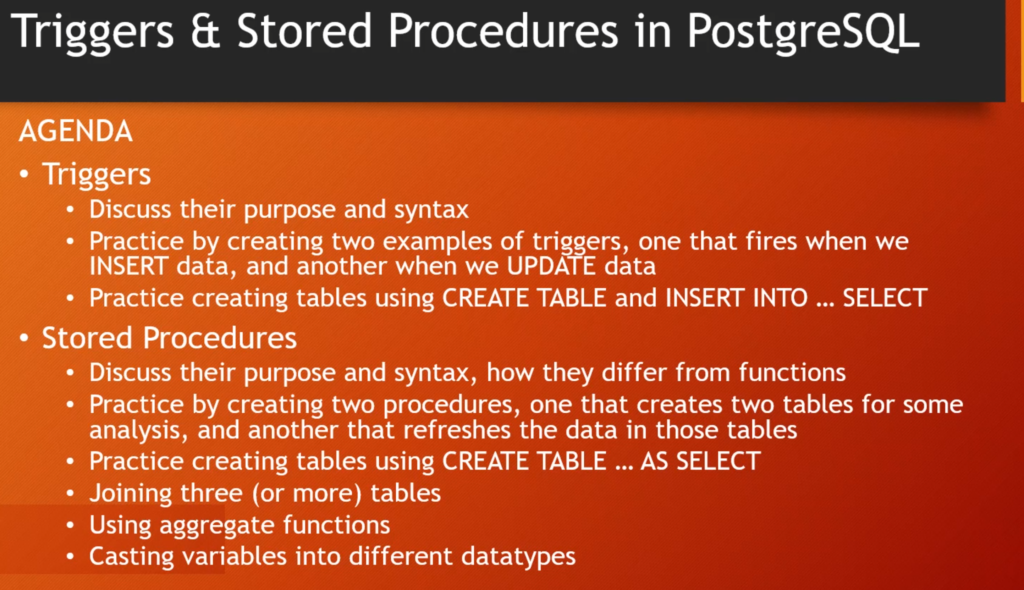
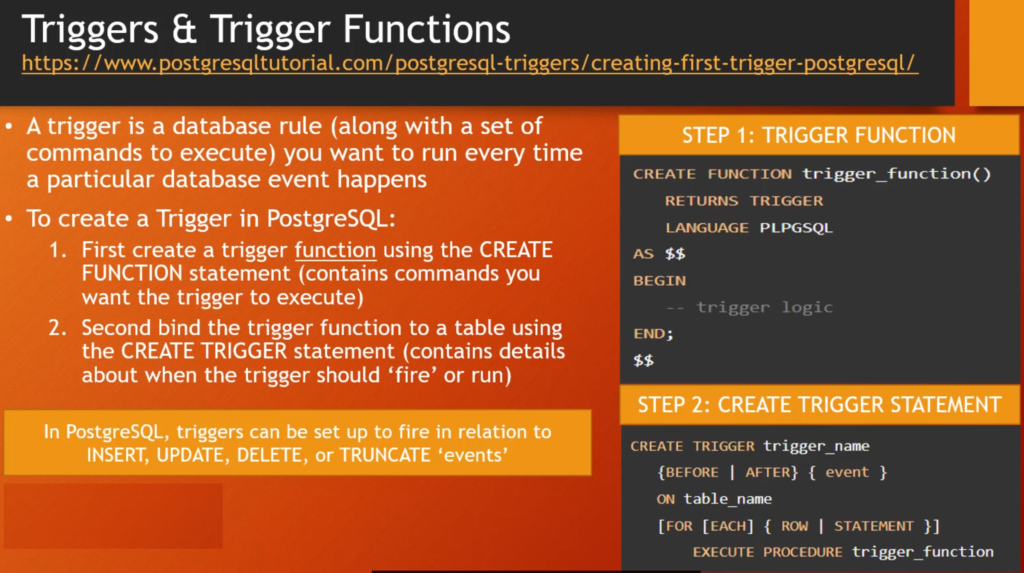
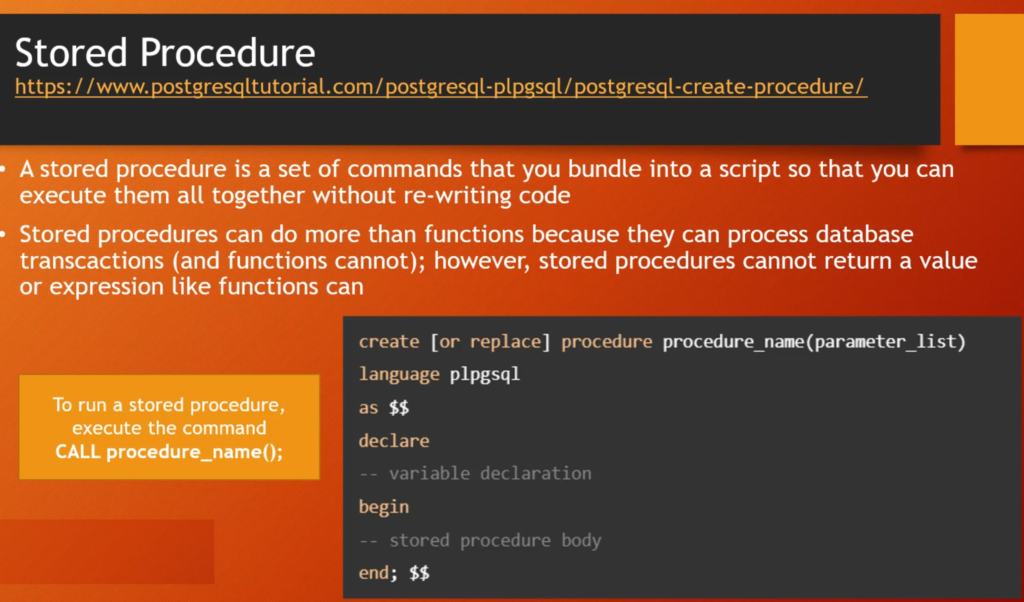
Notes for the Final
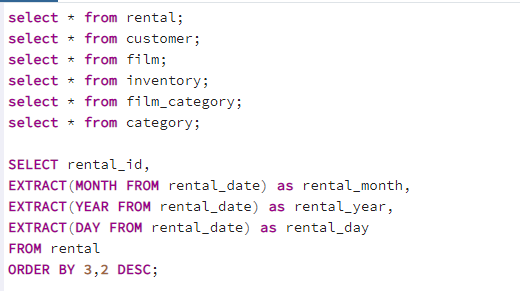
Stuff from Rental:
- rental_id
- rental_date (month and year)
- inventory_id
- customer_id
Stuff from Customer
- Customer Name (First and Last)
- customer_id
Stuff from Film:
- film_id
- title
- rental_rate
Stuff from inventory:
Stuff from film_category:
Stuff from category:
Last testing area:
creating a table with large sales amounts in car dealership
CREATE TABLE large_sales (
channel varchar(30),
customer_id bigint,
sales_amount float );
–now just has the columns–
–inserting data–
INSERT INTO large_sales
SELECT channel, customer_id, sales_amounts
FROM sales
WHERE sales_amount > 100000
ORDER BY sales_amount DESC;
CREATE TABLE large_sales_by_channel (
channel varchar(30),
number_of_sales bigint );
–table shell created–
INSTERT INTO large_sales_by_channel
SELECT channel, COUNT(customer_id)
FROM large_sales
GROUP BY channel;
Old Submission Notes
A. Summarize one real-world business report that can be created from the attached Data Sets and Associated Dictionaries.
- Best Customer By Quarter and their favorite genre
- Detail the best customer by quarter and the best genre by quarter
- Summarize best genre by quarter and top 10 customers vs the rest
1. Describe the data used for the report.
- We will take the customer list paired with rental history per quarter
- We will count the number of rental instances per customer per quarter
- We will sum the dollar amount spent per customer per quarter
- We will take the data from top 3-5 customers per quarter and find favorite genre
2. Identify two or more specific tables from the given dataset that will provide the data necessary for the detailed and the summary sections of the report.
- Customer
- Rental
- Film
3. Identify the specific fields that will be included in the detailed and the summary sections of the report.
- We will take the customer list paired with rental history per quarter
- We will count the number of rental instances per customer per quarter
- We will sum the dollar amount spent per customer per quarter
- We will take the data from top 3-5 customers per quarter and find favorite genre
4. Identify one field in the detailed section that will require a custom transformation and explain why it should be transformed. For example, you might translate a field with a value of ‘N’ to ‘No’ and ‘Y’ to ‘Yes’.
- We will change the numbers of the categories to the specified genres to avoid an extra join?
5. Explain the different business uses of the detailed and the summary sections of the report.
- Figure out their best customers and when to showcase what genre to get them to buy on their historically slow times
- Being able to forecast number of sales on best customers
6. Explain how frequently your report should be refreshed to remain relevant to stakeholders.
- Once a quarter
B. Write a SQL code that creates the tables to hold your report sections.
- make pseudocode and then write it out
C. Write a SQL query that will extract the raw data needed for the Detailed section of your report from the source database and verify the data’s accuracy.
- make pseudocode and then execute it
D. Write code for function(s) that perform the transformation(s) you identified in part A4.
- make pseudocode and execute it
E. Write a SQL code that creates a trigger on the detailed table of the report that will continually update the summary table as data is added to the detailed table.
- research triggers and create
F. Create a stored procedure that can be used to refresh the data in both your detailed and summary tables. The procedure should clear the contents of the detailed and summary tables and perform the ETL load process from part C and include comments that identify how often the stored procedure should be executed.
1. Explain how the stored procedure can be run on a schedule to ensure data freshness.
G. Provide a Panopto video recording that includes a demonstration of the functionality of the code used for the analysis and a summary of the programming environment.
Note: For instructions on how to access and use Panopto, use the “Panopto How-To Videos” web link provided below. To access Panopto’s website, navigate to the web link titled “Panopto Access,” and then choose to log in using the “WGU” option. If prompted, log in using your WGU student portal credentials, and then it will forward you to Panopto’s website.
To submit your recording, upload it to the Panopto drop box titled “Advanced Data Management D191 | D326 (Student Creators) [assignments].” Once the recording has been uploaded and processed in Panopto’s system, retrieve the URL of the recording from Panopto and copy and paste it into the Links option. Upload the remaining task requirements using the Attachments option.
H. Record the web sources you used to acquire data or segments of third-party code to support the application if applicable. Be sure the web sources are reliable.
I. Acknowledge sources, using in-text citations and references, for content that is quoted, paraphrased, or summarized.
J. Demonstrate professional communication in the content and presen